
Get audit-ready.Keep building.
Kaamos gathers evidence, maps it to your controls and turns security gaps into an ordered roadmap. Spend less time preparing for audits and more time building.
Home
Roadmap progress, recent changes and decisions waiting for your team, together on one screen.
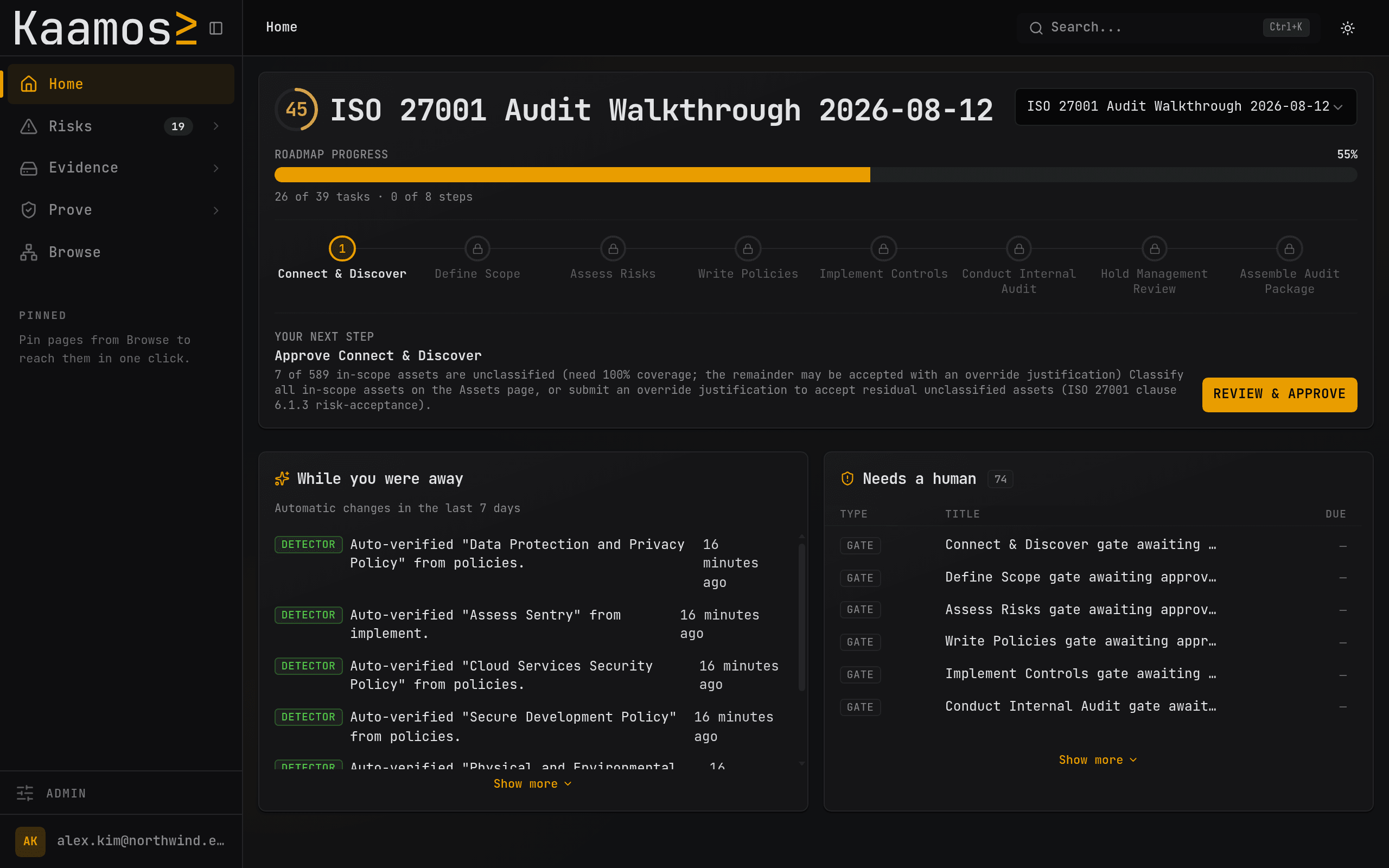
- Progress
- 26 of 39
- Waiting on you
- 6 gates
- Last 7 days
- Auto-verified
Integrations
Collect evidence from your cloud, identity provider and code host automatically. Keep it current as your systems change.
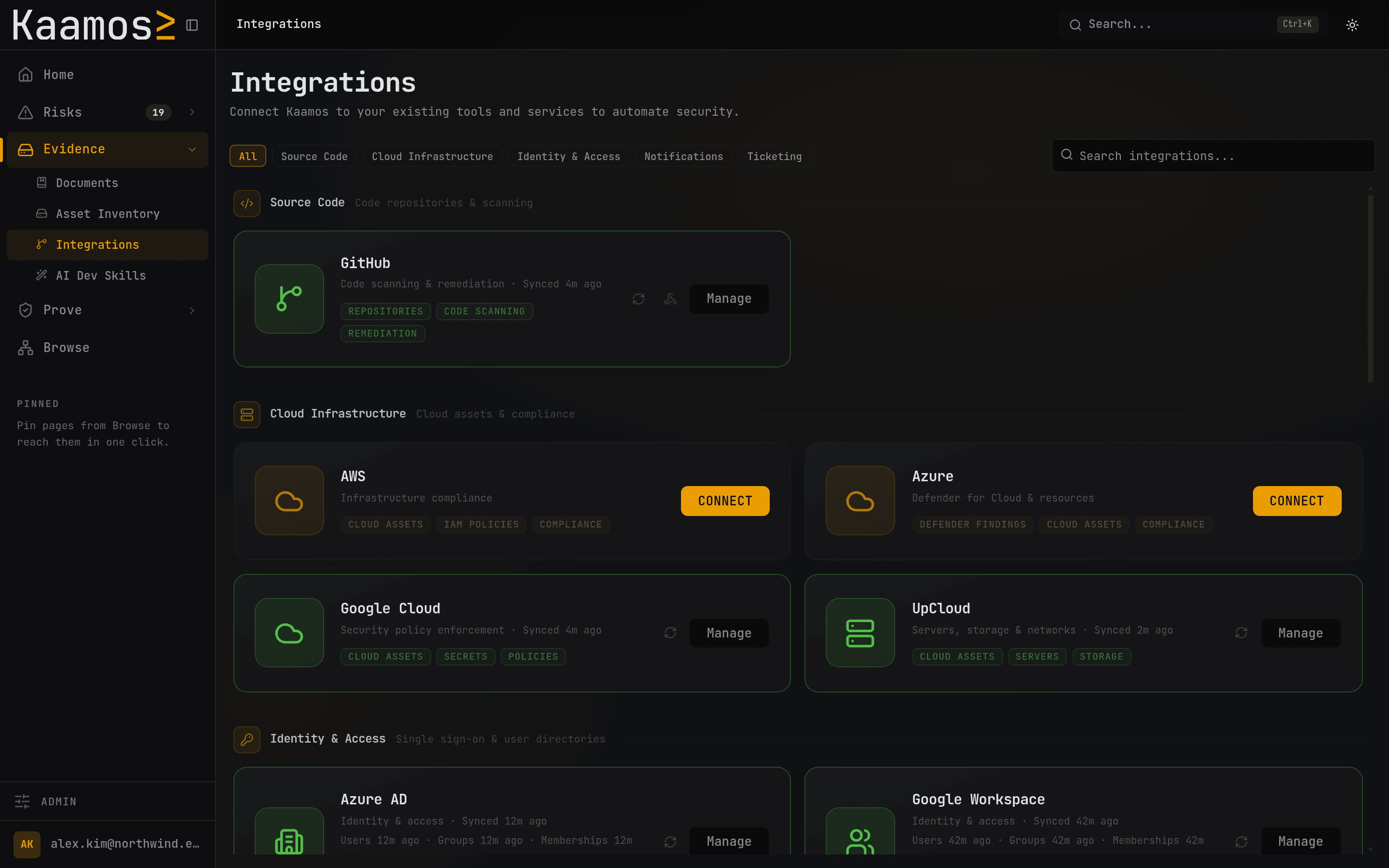
- Collection
- Automatic
- Evidence
- Kept current
- Sources
- Linked
Inventory
Discover assets and their relationships from connected systems. Keep the inventory current without typing it in.
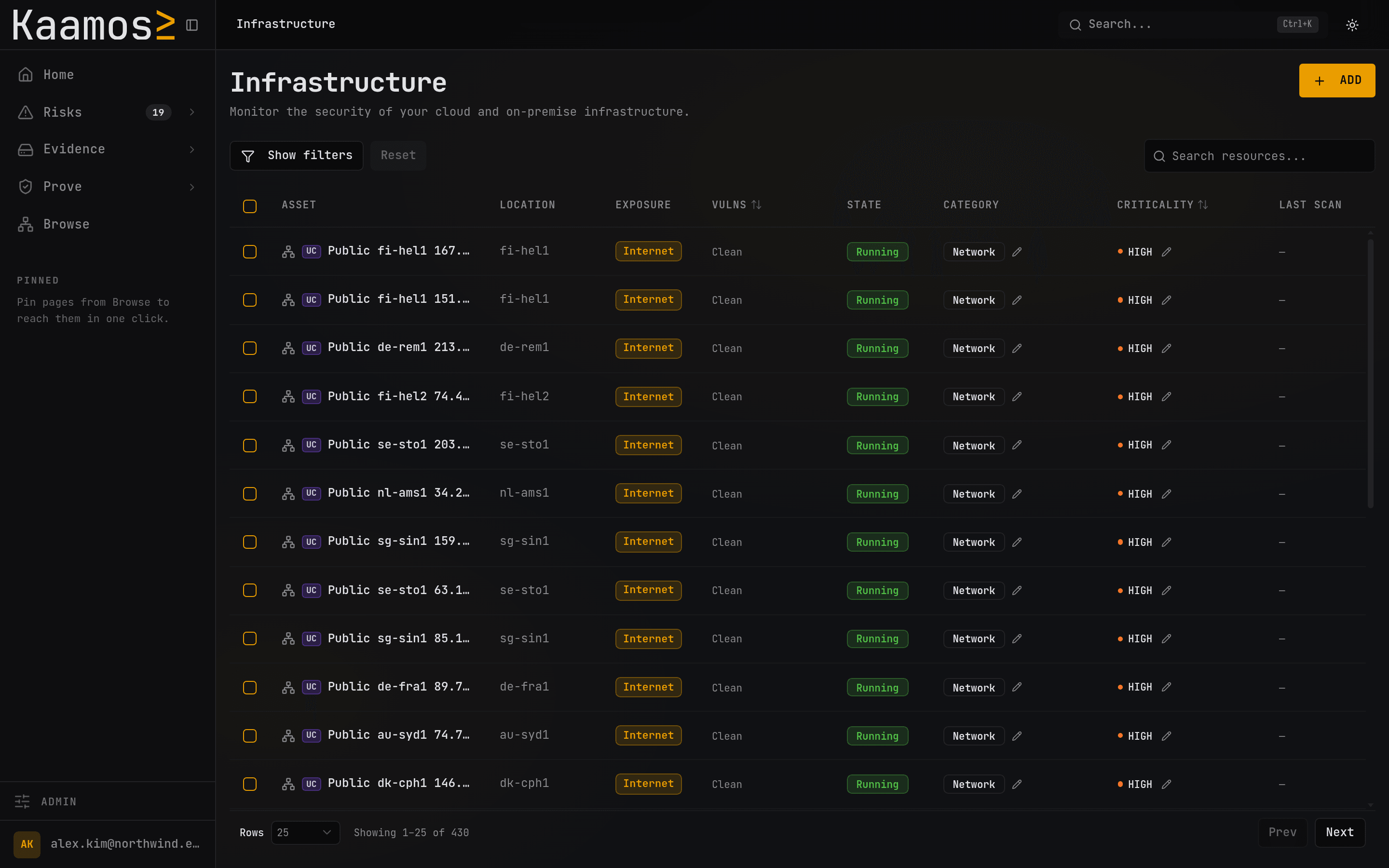
- Discovered
- 430 assets
- Typed in
- By nobody
- Carries
- Relationships
Risk register
See each risk's score, owner and source in one register. Import what you already track, or start empty.
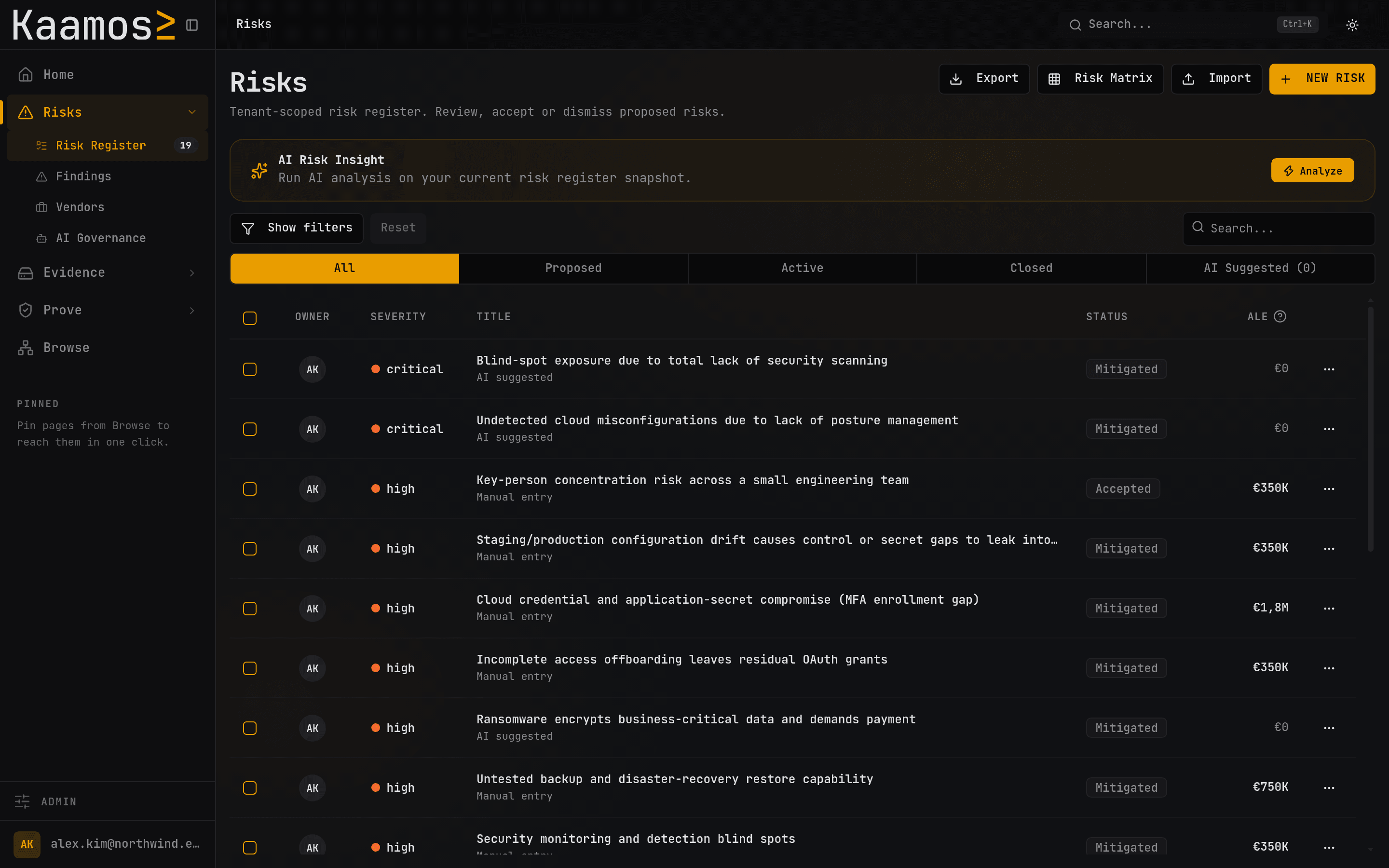
- Register
- One source
- Proposals
- With a source
- Decisions
- Yours
Controls
See every Annex A control beside its evidence, including where each artifact came from.
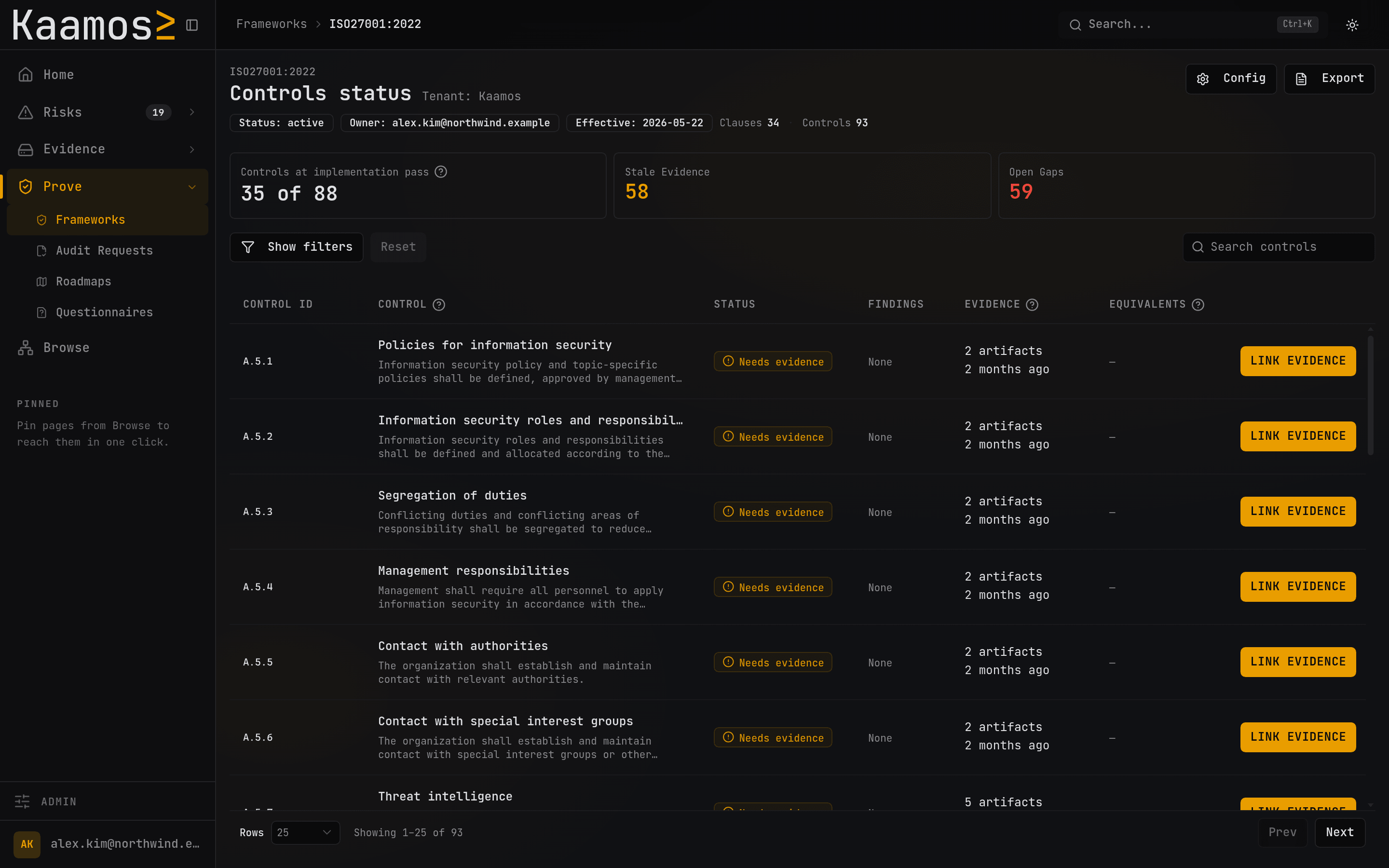
- Evidence
- Attached
- Pulled
- On a schedule
- Coverage
- 4 of 20
Roadmap
Follow an ordered plan tied to the controls it closes. As your systems change, the next steps change with them.
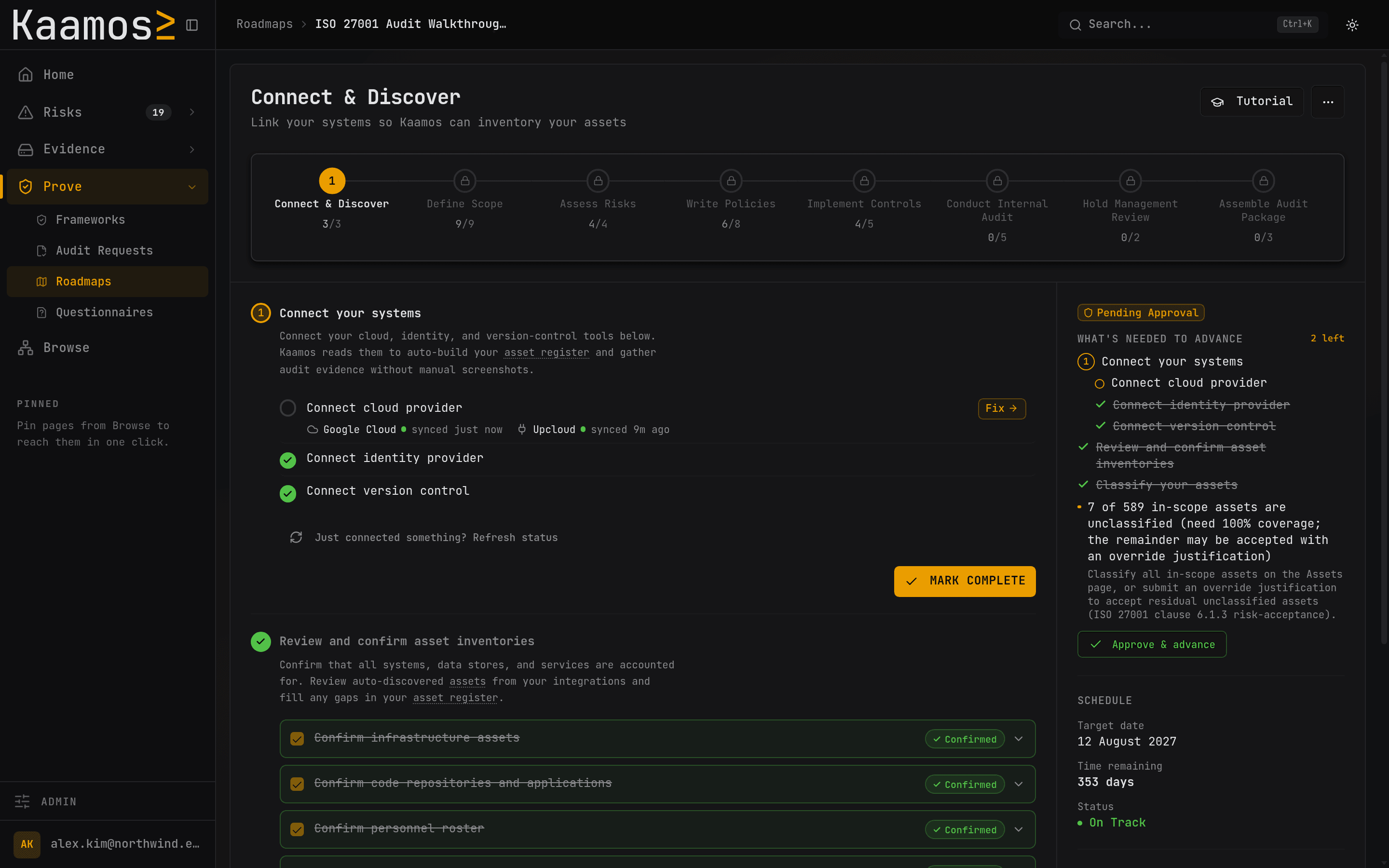
- Ordered by
- What unblocks
- Each step
- Closes controls
- Gates
- You approve
Frameworks, built into the work.
Adopt a control catalog, assign owners and track the evidence behind each requirement. Automation and cross-framework mappings vary by framework.
…a process for regularly testing, assessing and evaluating the effectiveness of technical and organisational measures for ensuring the security of the processing.
Available in Kaamos
- NIS2BindingMaps NIS2 work to assets, vendors, risks, and live control evidence.
- DORABindingTrack ICT risk, incident response, resilience testing and supplier oversight.
- GDPRBindingConnects privacy-relevant assets, vendors, and controls into one operating view.
- ISO 27001VoluntaryBuilds the ISMS around live assets, vendors, risks, and evidence.
- SOC 2VoluntaryMaps SOC 2 evidence to the same control work used for ISO 27001 and GDPR.
- ISO 42001VoluntaryTrack AI management-system requirements and Annex A controls.
- CRABindingOrganize product-security and vulnerability-handling requirements.
- ISO 27701VoluntaryTrack the standalone 2025 privacy management-system requirements.
- NIST CSFVoluntaryOrganize security work across all six NIST CSF 2.0 functions.
- PCI DSSBindingTrack PCI DSS 4.0.1 requirements for your payment-data environment.
- TISAXVoluntaryTrack ISA v6 information-security, prototype-protection and data-protection controls.
- BSI C5VoluntaryTrack the C5 control catalog with owners, status and linked evidence.
10 more framework guides
These guides explain requirements and applicability. They are not available as framework catalogs in Kaamos.
Your agent. Your security context.
Give your agent access to the inventory, risks and evidence in Kaamos. It can draft the work; your team approves it.
Your agent
Draft our access policy.
Kaamos≥
Source context
- Inventory
- Controls
- Evidence
Access policy
Draft · Ready for review
Connect through MCP. Requires a compatible client; access is scoped per team.
Common questions
Who approves the work?
Your team reviews suggested risks, control mappings and evidence links with their sources attached. You accept or dismiss each suggestion.
Can Kaamos change our systems?
Connections are read-only and scoped per system. Kaamos reads your configuration, access and repository state; it cannot change those systems.
Does it replace our security tools?
Keep your scanners and endpoint tools. Kaamos organizes your inventory, risks, controls and evidence around the systems you connect.
Is our framework supported?
The framework directory distinguishes product support from reference guides. If yours is not supported, talk to us about availability and scope.
What do we need to get started?
Choose the frameworks you’re working toward, name an owner and identify the systems you want to connect. We agree the scope before onboarding.
How this compares to the platforms you are also looking at
Seven head-to-head pages covering framework coverage, evidence collection, risk and remediation, AI and agent workflows, and what each package actually includes. Every vendor claim is sourced from that vendor's own published pages.
- VantaTrust management and package depthCompare
- DrataCompliance operations and buyer assuranceCompare
- SprintoContinuous monitoring and AI governanceCompare
- SecureframeCompliance automation and advanced riskCompare
- CyberdayISMS collaboration and framework breadthCompare
- SecfixEuropean compliance and guided onboardingCompare
- KertosPrivacy, security and AI governance togetherCompare
See what it finds in your systems.
Walk through your systems, target framework and priorities with a founder. See how the inventory, risks and evidence fit together before you connect an account.